A missed bank letter is annoying. A missed tax notice, legal document or customer parcel is a different problem entirely. If you need a dependable way to receive post while living abroad, travelling seasonally or running a business remotely, learning how to set up digital mailbox access is less about convenience and more about staying in control.
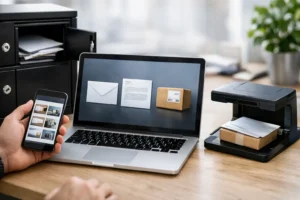
A digital mailbox gives you a real postal address where post and parcels can be received on your behalf, then managed remotely. Depending on the service, your items may be scanned, stored, forwarded or held for collection. For many people, that removes the weak point in their admin – the moment something important arrives when they are not there.
What it means to set up digital mailbox services
When people first hear the term, they sometimes assume a digital mailbox is simply an email inbox for scanned letters. In practice, it is a physical and digital service working together. Your provider receives post at a genuine address, logs it, and then gives you options for what happens next.
That might mean opening and scanning selected items, forwarding original documents to another country, accepting parcels that would otherwise be left unattended, or using the address as a business correspondence point. The value is not only digital access. It is the combination of a stable address, secure handling and clear visibility over incoming post.
For expats, non-resident property owners and seasonal residents, this can solve a familiar issue. Official correspondence often still relies on physical delivery, yet your actual location may change through the year. For remote workers and business owners, it can also separate personal life from business administration while keeping communication professional.
Who should set up digital mailbox access
This service is useful for more people than many expect. If you spend part of the year in Gran Canaria and part elsewhere, a digital mailbox gives continuity. If you own property in Spain but do not live there full time, it can help you manage utility notices, community correspondence and official letters without relying on neighbours or uncertain building reception.
For businesses, the case is often even clearer. Start-ups, consultants and small firms may need a registered address or a reliable place for client documents and supplier deliveries, without taking on the cost of a permanent office. A digital mailbox can provide that operational base while keeping post organised and accessible.
It is not the right fit for every situation. If all your correspondence is already digital and you rarely receive parcels or official letters, you may not need one. But if missing one important item would create cost, delay or stress, the service quickly becomes easier to justify.
How to set up digital mailbox access properly
The best way to approach setup is to think first about your real postal habits, not the marketing description of any plan. Start with what you receive, where you are usually based, and how quickly you need access when something arrives.
1. Decide what the address needs to do
Some people only need a secure address for personal post. Others need parcel reception, document scanning and forwarding across borders. A business user may also need address registration and occasional office access.
If you choose a service without thinking through these needs, you can end up paying extra for every scan or forward, or worse, discover that the address cannot be used for the purpose you had in mind. Before signing up, be clear whether you need personal use, business use or both.
2. Check the provider’s handling process
A digital mailbox is only as dependable as the people and systems behind it. You want to know how incoming post is recorded, how quickly scans are uploaded, how parcels are stored, and what happens with sensitive documents.
Security matters here. Ask whether items are logged on arrival, whether access is restricted, how identity is verified, and what the process is for forwarding originals. If the provider is vague on these points, that is a warning sign. For anything involving financial, legal or official correspondence, clear handling procedures are essential.
3. Confirm what identification is required
Most legitimate providers will require identity checks before they accept post on your behalf. That is a good sign, not an inconvenience. It protects both you and the service.
You may need to provide proof of identity, proof of address, and in some cases signed authorisation forms. For business accounts, company registration documents may also be required. Setting these up correctly at the start avoids problems later when time-sensitive post begins arriving.
4. Choose scanning and forwarding rules
Not every letter needs the same treatment. Some customers want every envelope scanned on arrival. Others only want selected items opened and digitised, with originals stored or sent on monthly.
The right setup depends on volume and urgency. If you receive frequent routine paperwork, selective scanning may keep costs sensible. If you manage official correspondence from abroad, fast scanning can save valuable time. The best providers let you control this without turning every request into a manual admin task.
5. Update your address where it matters most
Once your account is active, the real work is making sure post goes there. Start with the senders that matter most: banks, insurers, tax authorities, legal contacts, suppliers and key customers. Then move to utilities, subscriptions and any organisations linked to your property or business activity.
Do not assume redirection alone will cover everything, especially if you operate across countries. Some institutions require direct address updates, and some correspondence may continue to go to an older address if records are inconsistent.
What to look for in a digital mailbox provider
Price matters, but it should not be the only factor. A very cheap service can become expensive if every practical action carries an extra fee, or if poor handling creates delays. Reliability is worth paying for when the alternative is uncertainty around sensitive post.
Look for transparency in three areas: what is included in the monthly plan, how additional services are charged, and what service standards you can expect. If parcel reception matters to you, check size limits and storage periods. If you need business use, check whether the address is suitable for registration and day-to-day correspondence.
Location matters too. A provider with a strong local presence in the place where you actually receive post is often more useful than a generic service in the wrong city. For customers with ties to Spain, particularly Gran Canaria, that local relevance can make handling simpler and more dependable. Providers such as Letterbox.es are built around that practical need – a secure address, digital control and flexible support for people who are not always physically present.
Common trade-offs when you set up digital mailbox services
There is no single perfect setup because different users value different things. Speed, storage, cost and physical access often pull in different directions.
A lower-cost plan may work well if you only need occasional scanning, but less well if you receive regular parcels. A business address package may be ideal for professional image and admin, but more than a private customer needs. Likewise, a city-centre address may help with business credibility, while a more local service may be better for practical collection and support.
This is why the best choice is usually the one that matches your routine, not the one with the longest feature list. If your main concern is official post while you live abroad, prioritise security and fast visibility. If your main concern is deliveries to a holiday property, parcel handling and storage may matter more.
Mistakes to avoid at setup stage
The most common mistake is treating the service as a simple forwarding address and not checking the details. That can lead to delays, missed verification requirements or unsuitable use of the address for business purposes.
Another mistake is failing to update all important senders promptly. A digital mailbox only helps with the post that actually reaches it. It is also worth being realistic about originals. Some documents still need physical forwarding, so make sure the service can handle that efficiently if your paperwork requires it.
Finally, do not overlook communication. A good provider should make it easy to understand what has arrived, what action is needed and what it will cost. Clarity reduces friction, especially when you are managing post from another country.
Setting up a digital mailbox is not complicated, but doing it well can remove a surprising amount of background stress. When your post has a secure home and you can manage it wherever you are, everyday admin becomes much easier to live with.